
Hear the question
Turn interview audio into clear context while you stay focused.
Listen to the question, capture what is on screen, and turn the moment into a clear answer—all from a focused Windows workspace.
Question detected
How would you design a rate limiter for a distributed API?
A clear way to answer
01Clarify scale and consistency
02Choose the limiting algorithm
03Explain shared counters
04Cover failures and observability
Inside the app
Swipe through real interface views before you download. The workspace keeps the question, answer, code, and controls easy to find.
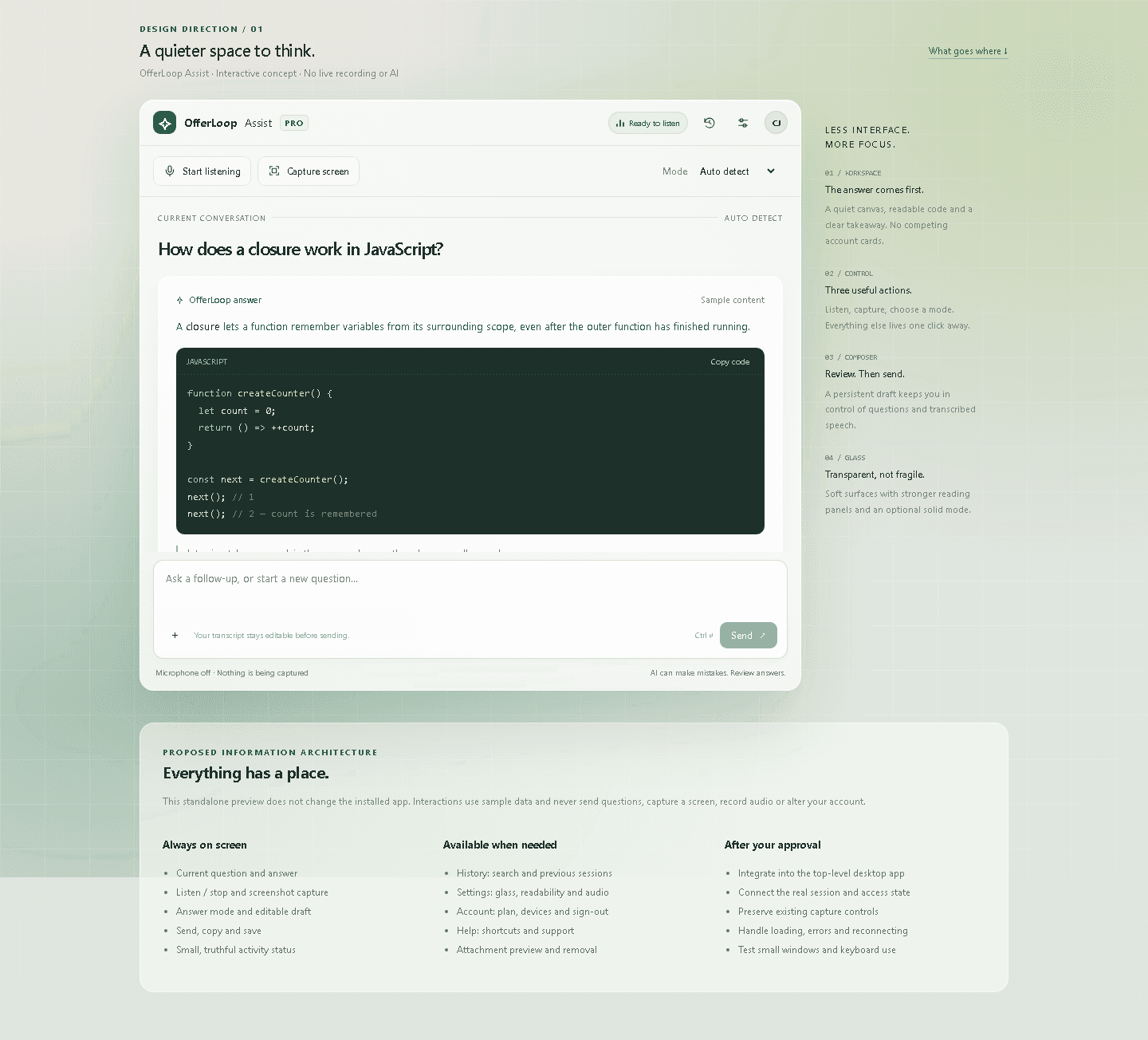
Answer workspace
Review the question, explanation, and code without competing panels.
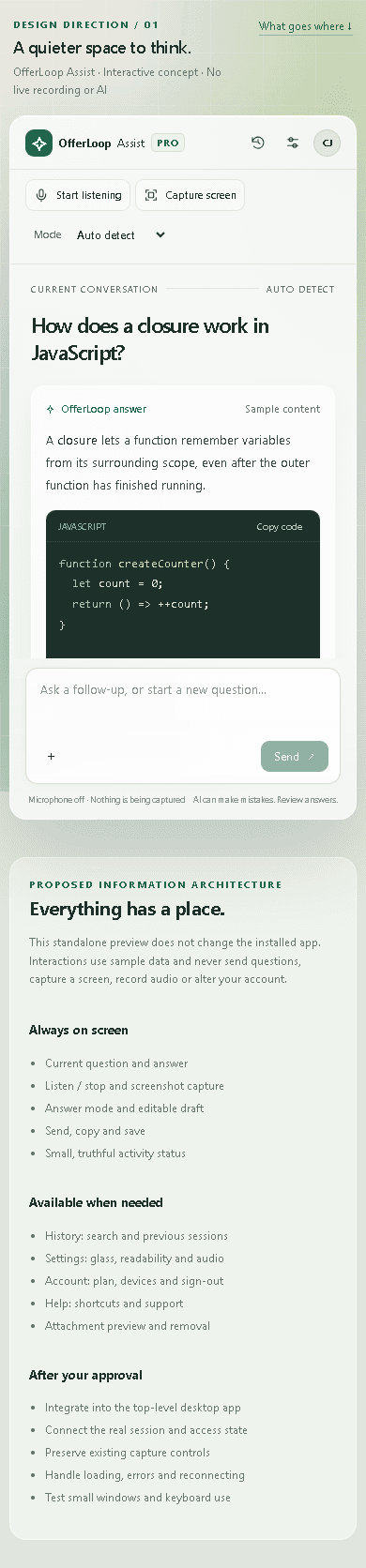
Compact workspace
Listening, capture, answer mode, and follow-up controls remain close at hand.
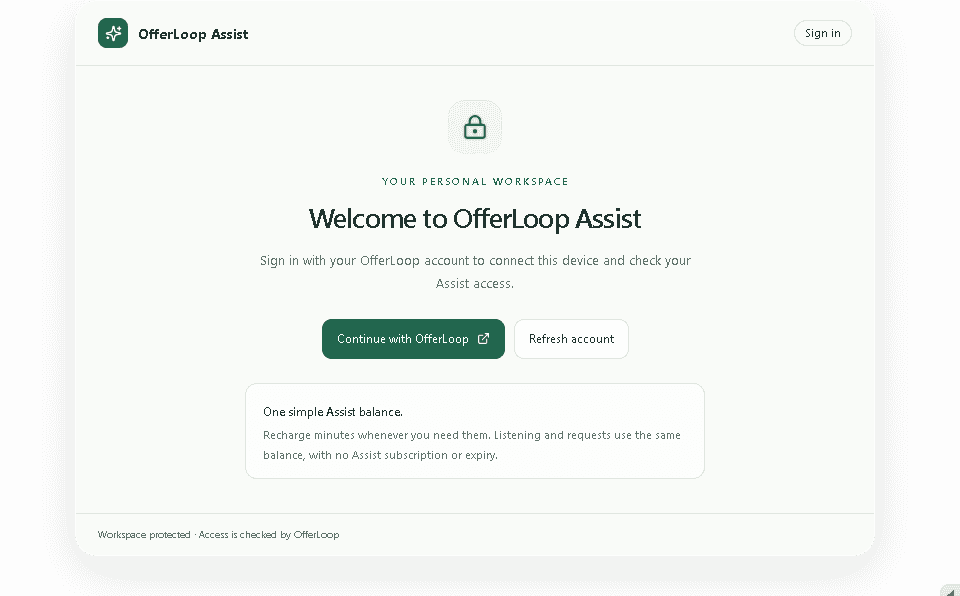
Secure connection
Connect through the browser—there is no API key setup for the customer.
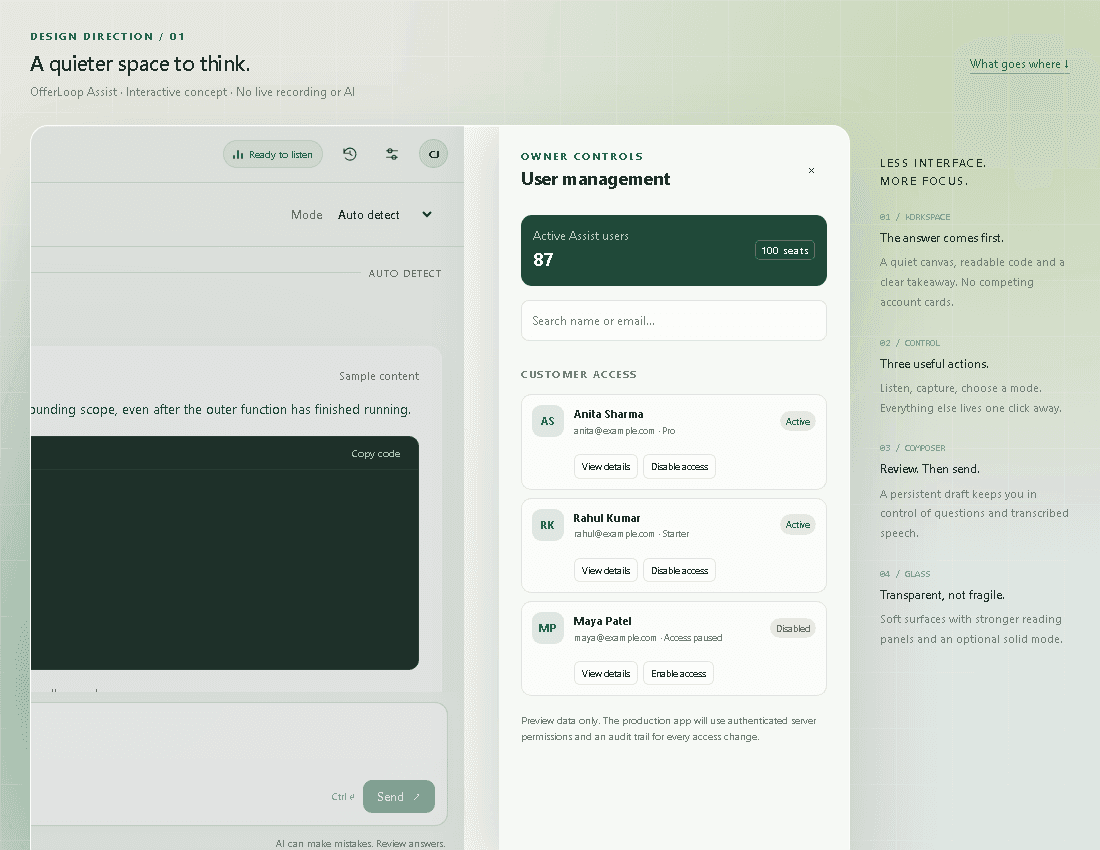
Account controls
Account and access controls make device management easier to understand.
Swipe to see all four product views →
Simple setup
STEP 01
Use your OfferLoop account and install the Windows desktop companion.
STEP 02
Choose prepaid interview minutes—there is no recurring Assist subscription.
STEP 03
Listen, capture your screen, and read guidance from one quiet workspace.
Prepaid pricing
From ₹3.5/minute · no expiry
Keep conversation context, answer modes, session history, and listening controls in one place.
Download AssistIncludes MIT-licensed OfferLoop contributions, Apache-2.0 derived portions, and third-party components. Review licences.
Common questions
No. Assist uses prepaid minutes. Recharge only when you need it, and your credits do not expire.
Your minute balance covers active listening plus text-answer and screenshot assistance in the desktop app.
Checkout is handled by Razorpay. Credits are added only after the server verifies the captured payment.
Yes. Assist is designed for interview preparation, mock sessions, explanations, and guided problem solving.
Create your account, add the minutes you need, and practice with the same focused workflow you will use on interview day.
Create account & continue